The Function Module
A function in Experience Management encapsulates static or dynamic content as well as behavior that can be further reused in multiple places such as XHTML or XSLT content on the website. Each function is a logical unit that you can insert on a page, in markup of a page template or another function etc.
To use functions, you do not necessarily need to know how to create functions or what types of functions there are in Experience Management. You can thus skip the following chapter and go on to read about using functions.
However, a quick overview of this aspect of Experience Management functions might help you use functions more effectively. Plus, if you are eventually going to learn how to create your own functions, the following few sections and the following chapter might serve as a good introduction to the Experience Management function’s internals.
Purposes of Using Functions
The functions in Experience Management enjoy three major uses:
| • | Content Reuse: Functions make parts of content or functionality reusable within a single website and across multiple websites.Dynamic |
| • | Content Rendering: Functions present dynamic content and allow its customization. |
| • | Integration: Functions integrate external content or functionality by wrapping it up in format usable in . |
Note that combination of the above uses in one function is not uncommon.
Where Can Functions Be Used?
In Experience Management, you can use functions in several places.
As a special graphic representation, you can insert functions on the Content tab of the Content Editor in the Visual mode.
If the function outputs content, it will show this content in the editor as function preview.
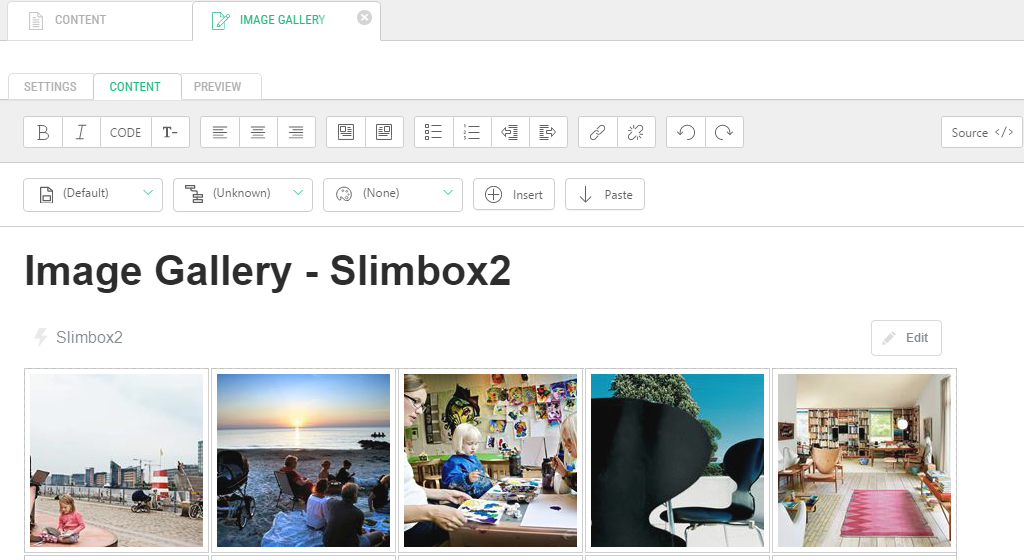
As markup, you can insert functions on:
| • | the Content tab of the content editor in the Source mode |
| • | the Markup Code tab of the page template editor |
| • | the Template tab of the XSLT and other function editors |
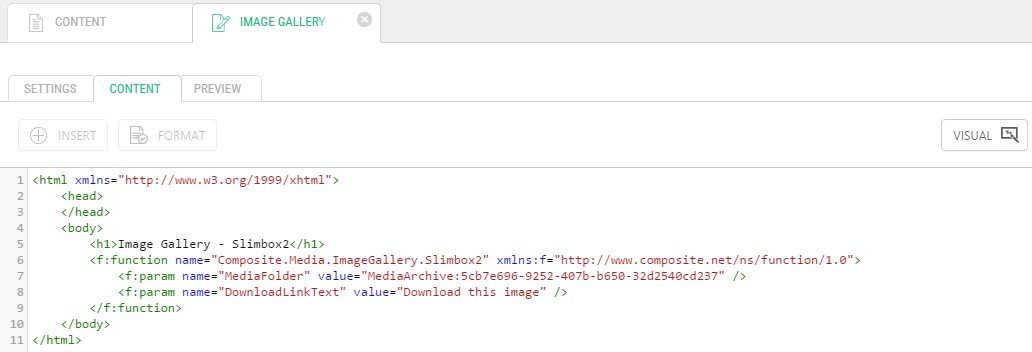
In general, as markup, you can insert functions wherever you can edit XML directly.
Also, you can use functions as parameters to other functions.
Note that in the Visual mode of the content editor, you can only insert functions that return XHTML. To have access to all the functions, you’ll need to switch to the Source mode.
Function Markup
When inserted as markup, functions should follow a specific syntax.
<f:function name="Composite.Forms.NestedHtmlForm" xmlns:f="http://www.composite.net/ns/function/1.0">
  <f:param name="FormMarkup">
    <f:function name="Composite.Search.SimplePageSearch.SearchResults" />
  </f:param>
</f:function>
The syntax is described as function definition schema in ~\Composite\schemas\Functions\Function.xsd.
The function elements are defined in this namespace:
xmlns:f="http://www.composite.net/ns/function/1.0"
The f:function element defines an Experience Management function. It must contain the name attribute (required), which specifies the function’s name.
The function may contain no, one or more f:param elements, which define parameters of the function. The f:param element must contain the name attribute (required), which specifies the parameter’s name, and, optionally, the value attribute, which specifies the value of this parameter.
Besides, the f:param element can contain one f:function element that embeds another Experience Management function.