Declining a Shipment
When a shipment is assigned to your store in Least Recently Used (LRU) mode or by closest geographical location, you can choose to accept or decline it. This way, you can manage the your staff's workload.
You may opt not to fulfill a shipment for one of the following reasons:
|
•
|
the store's inventory is inaccurate |
|
•
|
one or several items are used as demos in the store and cannot be sold |
|
•
|
one or several items are damaged and cannot be sold |
|
•
|
the store cannot fulfill order shipments at the moment |
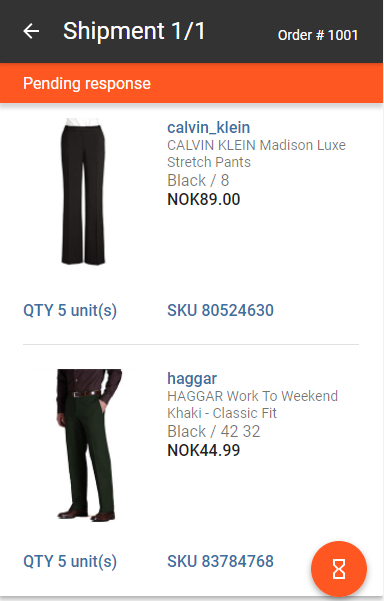
A shipment that was not yet accepted or declined has a Pending Response status.
To decline an order:
|
3.
|
Tap the orange action button  . . |

|
5.
|
Select a decline reason and enter a note, if required. |
When a shipment is declined
|
•
|
The order disappears from the store's Active orders list. |
Declined orders may still appear in the list for a few minutes, however they will be dimmed, which indicates they are currently being redirected.
|
•
|
The order is added to the Canceled category in the Dashboard. |
|
•
|
The order is re-routed to another store that has the items in stock. Any store that has previously declined the order will be excluded from the redirection process whenever it becomes available again, for example, locations where the order was previously declined are excluded. |
REFERENCES