Creating a Location Manager Role
SETTINGS > CUSTOM ROLES
A store manager that has just been hired for a location would need to be designated and granted permissions as an Editor (those permissions are granted by an Administrator), in order to access their store so they could view and/or modify product variables such adding and modifying products and drafts, as well as submitting changes for approval.
|
1.
|
Open the Managed Users module. |
|
2.
|
Find the user to be granted location management roles and permissions. |
|
3.
|
Click the user from the list. |
|
4.
|
Click the Direct Roles tab. |
|
5.
|
Click Manage Roles List button. |
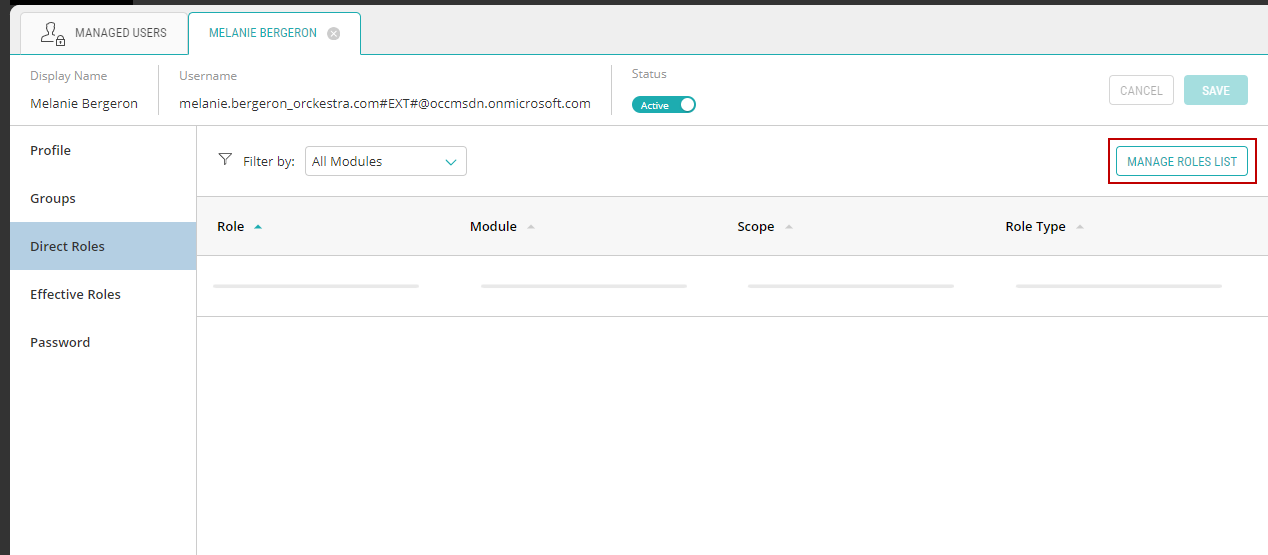
Figure 1 - Direct Roles
This will bring up the Roles and Permissions dialog box.
|
6.
|
Select a Scope from the list. Select the dependent scope corresponding to the location. |
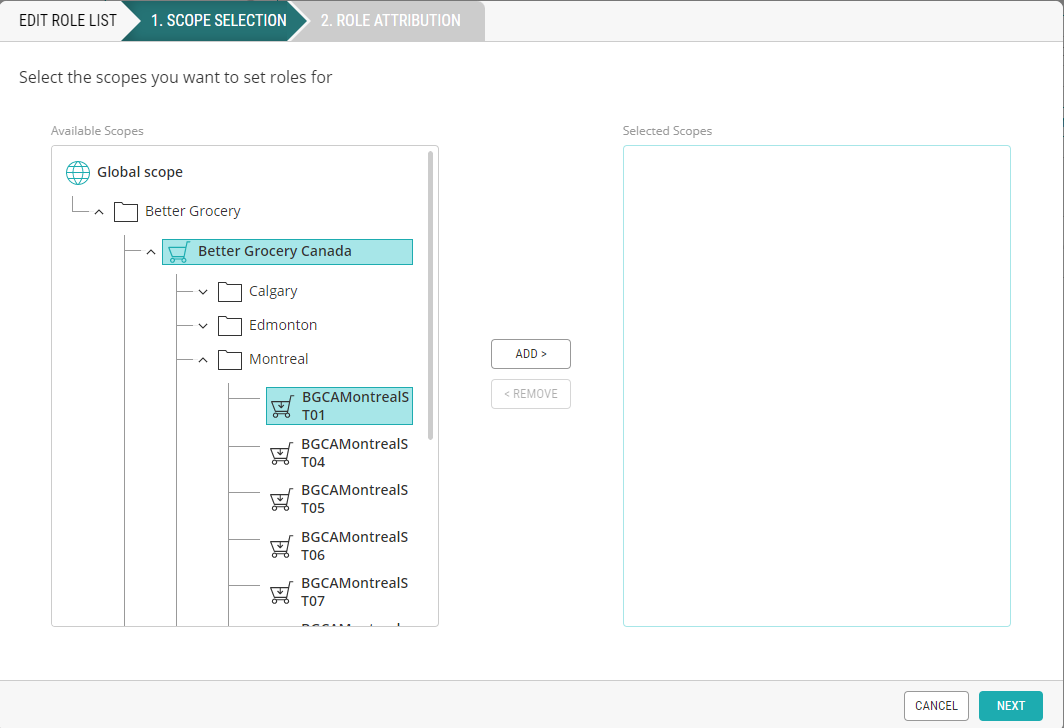
Figure 2 - Scope Selection
|
7.
|
Select Locations to filter roles by modules. |
|
8.
|
For the specified scope, select Editor -Locations or Reader - Location and click Add. |
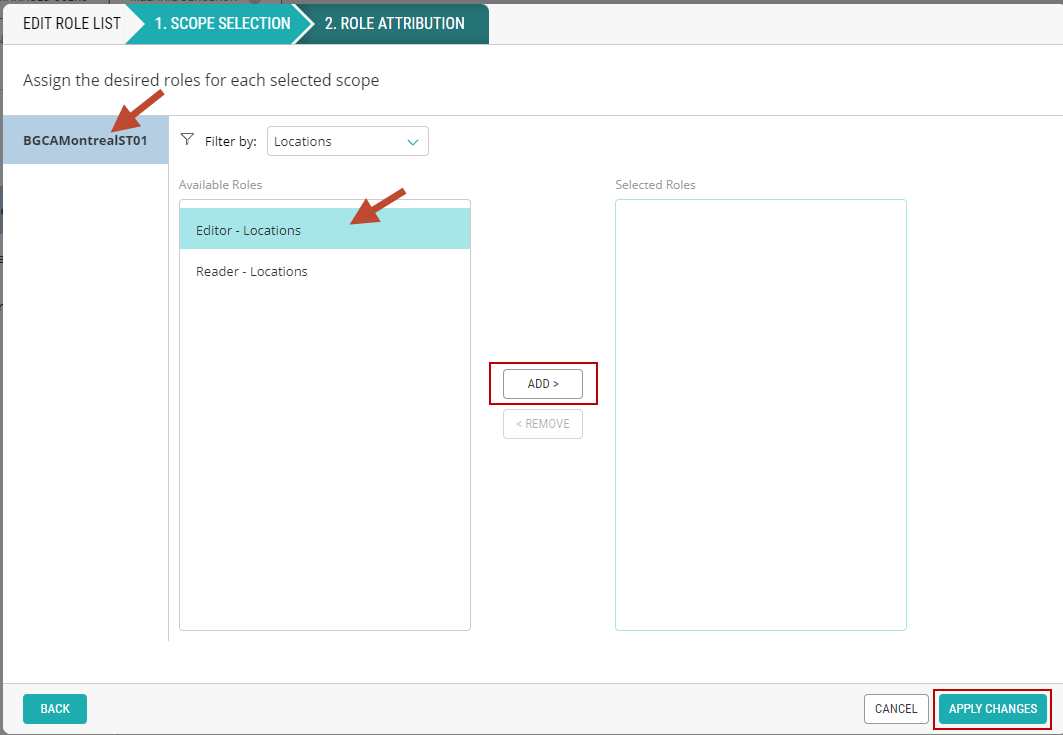
Figure 3 - New Role dialog box