Activate a user group
Once you have created a user group, you must activate this user group in the Experience Management Global Settings.
To activate a user group:
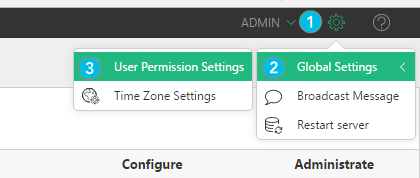
| 1. | Click Settings at the top corner of the screen. |
| 2. | Click Global Settings. |
| 3. | Click User Permission Settings. |
| 4. | Check the box next to the user group you created. |
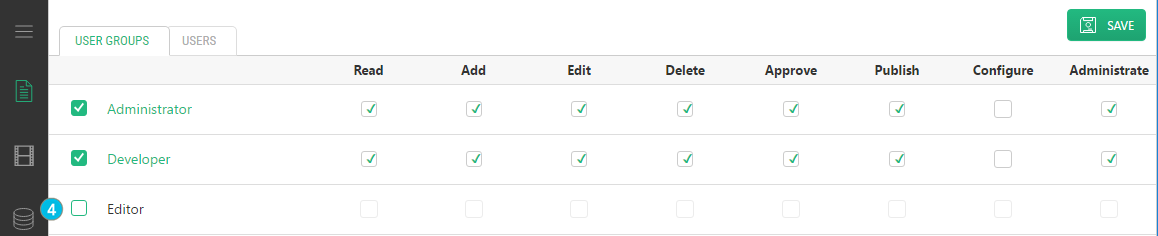
| 5. | If you need to add or remove permissions for this user group, check or clear the boxes under the permission types. |
| 6. | Click Save. |