Sorting Data
EXPERIENCE MANAGEMENT > DATA
You can select whether to sort data items, what field to sort them by and whether to sort them in ascending or descending order.
|
•
|
Order by [OrderByField]: (String) The field to order data by |
|
•
|
Order ascending [OrderAscending]: (Boolean) When set to true results are delivered in ascending order, otherwise descending order is used. Default is ascending order |
To sort data:
|
1.
|
Select the Order By parameter. |
|
2.
|
Select Constant for the Parameter Type. |
|
3.
|
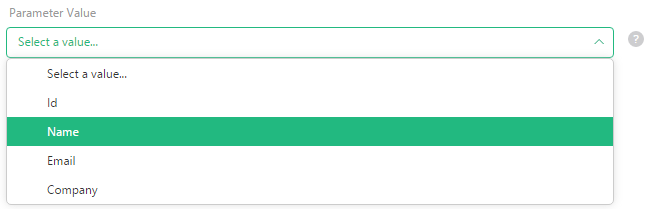
In the Parameter Value, select the field to sort data by in the dropdown list. (The field should not necessarily be one of the selected ones.) |
|
4.
|
Select the Order Ascending parameter. |
|
5.
|
Select Constant for the Parameter Type. |
|
6.
|
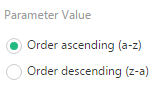
Select one of the two options: Order ascending (a-z) or Order descending (z-a). |
You can also order data randomly by setting the Randomized parameter:
|
•
|
Randomized: (Boolean) When true, data can be ordered randomly. |
To specify the number of random results you need, use the Page size parameter.
Note that if a filter is specified, it is applied before the random selection.
For hands-on experience on sorting, see Sorting and Paging.