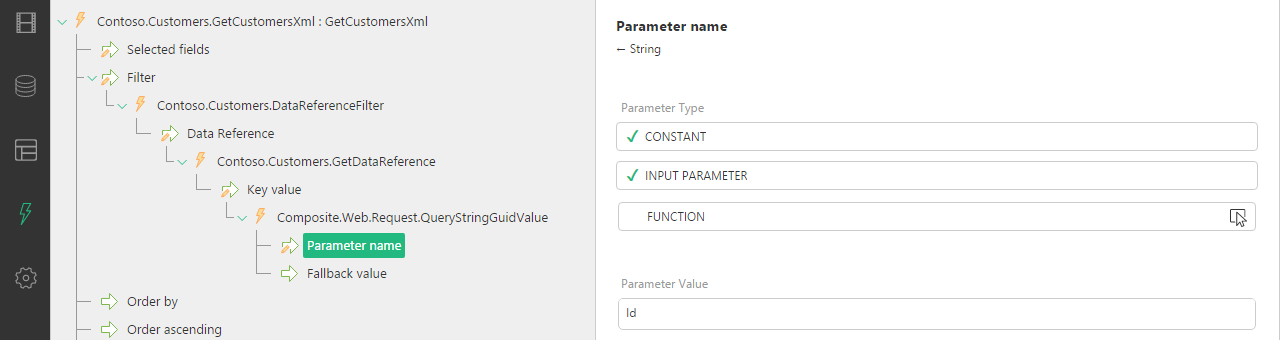
Using Data Reference Filter
To select a single data item, use the DataReferenceFilter function:
| 1. | Select the DataReferenceFilter for the Filter parameter. |
| 2. | Set its Data Reference parameter. |
You can add the Data Reference parameter by:
| • | Selecting a constant value |
| • | Binding it to one of the XSLT function’s input parameters (if any) |
| • | Having a specific function provide the value for this parameter |
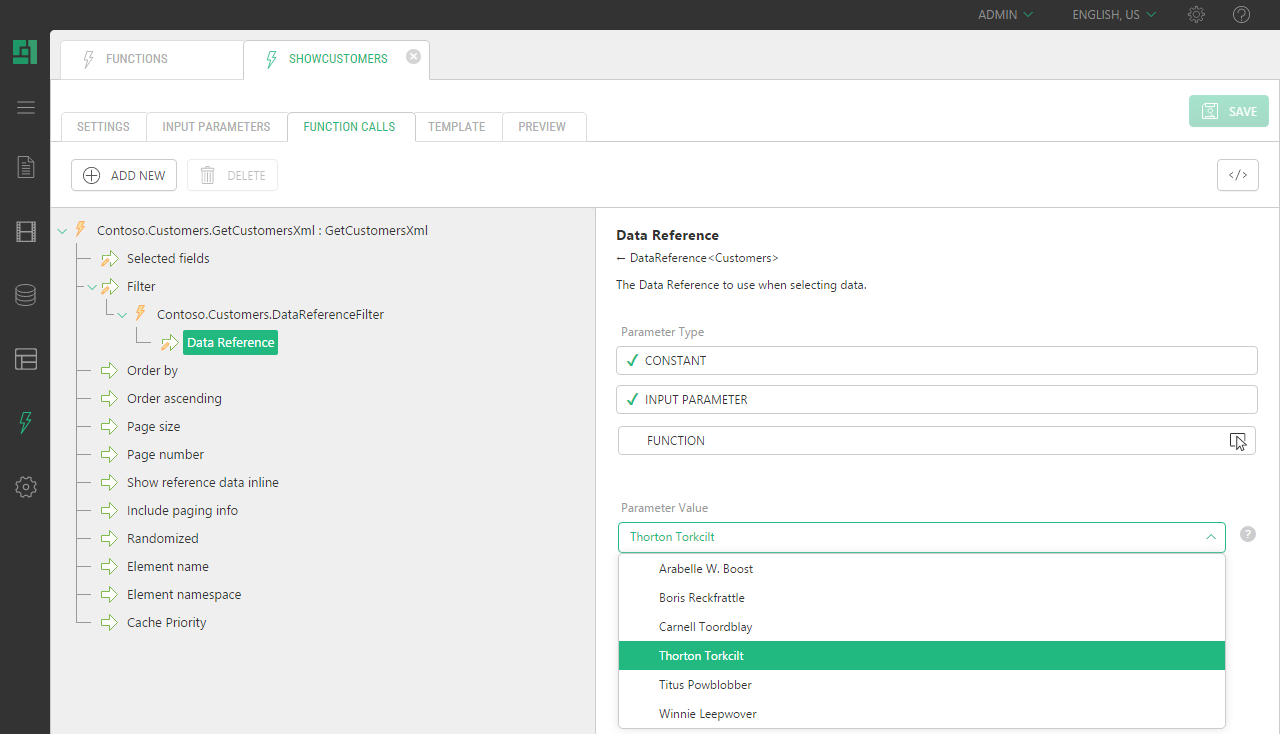
The Data Reference parameter expects a value of the DataReference<DataType>, where DataType stands for the name of the datatype. For example: Customers.
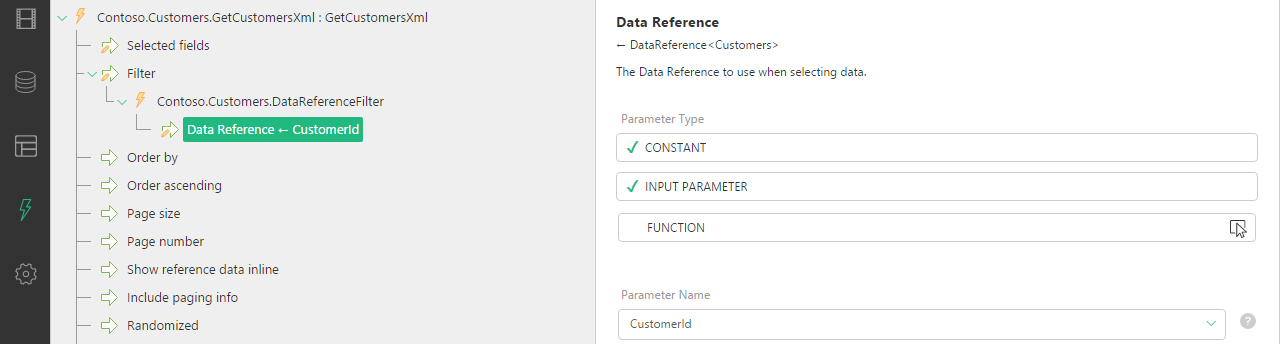
To bind the value to that of the input parameter, you can change the parameter type of Data Reference to:
| • | Input Parameter and select the XSLT function’s input parameter |
| • | Function and select the Composite.Utils.GetInputParameter function |
If you use a query string in the URL to pass a GUID of the item, you can get this GUID from the URL with one of the Composite.Web.Request functions: QueryStringGuidValue or FormPostGuidValue and get the reference to the corresponding data item by using the GetDataReference function generated for the datatype in question. For example: Demo.Customers.GetDataReference