Adding Page Data Folders
Page data folders store data specific to a page to be used on the page dynamically. A page can have no, one or more page data folders.
You can add a page data folder to a page manually, or you can have it added automatically - when creating or editing a page by selecting the page type that includes the page data folder. For this, you need to add required page data folders to this page type.
To add a page data folder to a page type:
- Make sure that the page data folder is available in the system.
- Edit the page type.
- On the Data Folders/Applications tab, in the Data Folders section, check one or more data folders you want added to pages automatically.
- Click Save.
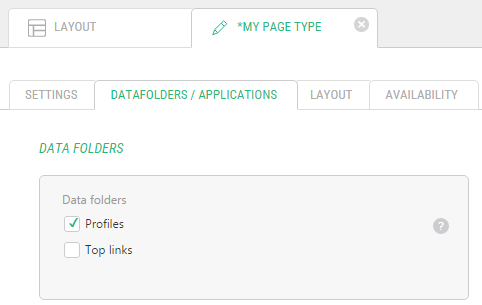
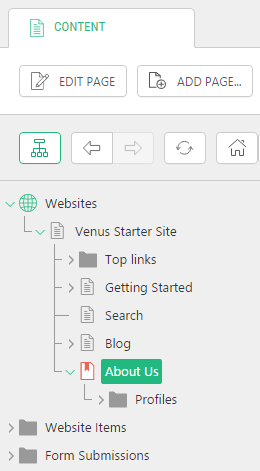
Tip: Every time you create a page with this page type now, the data folder will be automatically added to the page.
If no page data folder is available on the list (Step 3), no page data folder exists in the system.
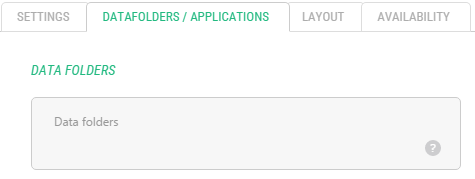
You can create page data folders the Data perspective.
Important Notes
Important: If you switch the page type to the one with a page data folder, this page data folder will be only added if it has not been added to the page yet either manually or via a page type with it.
The page data folder will be kept if you switch the page type to the one without this page folder.