Duplicate a Page
In Experience Management you can duplicate existing pages in the content tree of the Content module in a few clicks.
For example, you could duplicate a promotion landing page that already has similar settings to create another promotion landing page. Make your modifications and save you changes. You can later publish or schedule this new publication.
A page duplication is not the same as a page version. A page duplication create a new page where a page version creates an additional instance of the same page.
To duplicate a page:
There are 2 methods you can use to duplicate a page
| 1. | Expand the content tree view. |
| 2. | Select the page to duplicate. |
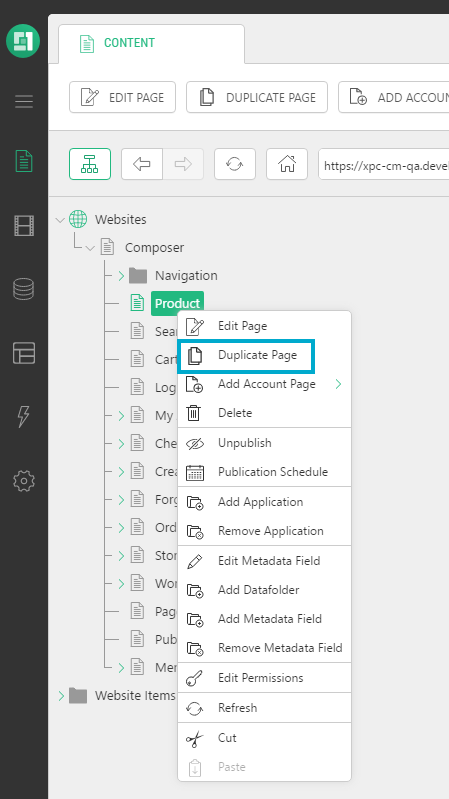
| a. | Right-click on the page and click Duplicate Page in the menu. |
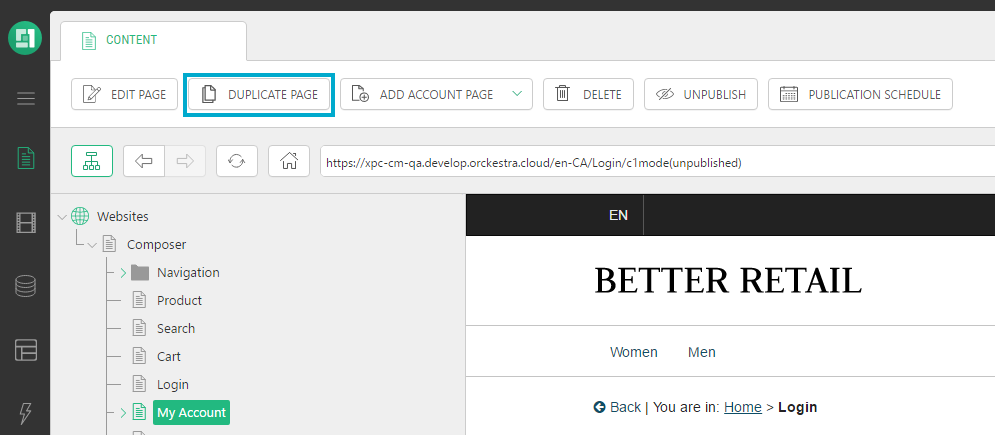
| b. | Click Duplicate Page in the action menu. |
When you create a duplicate, the page appears under the selected page with the name: Copy of [pagename]. If you duplicate the same page again, a number is added to the page name as the following: Copy2 of [pagename].
Do not forget to publish or schedule the page for publication once you have completed your modifications.