Viewing Order Details
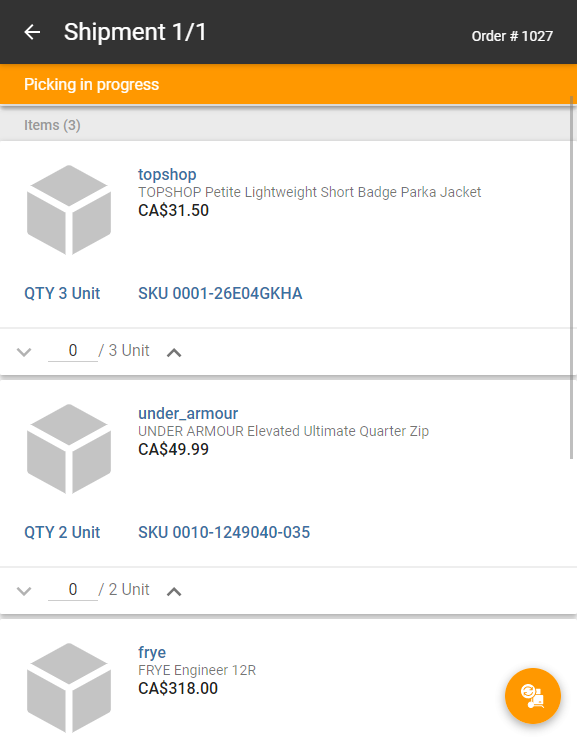
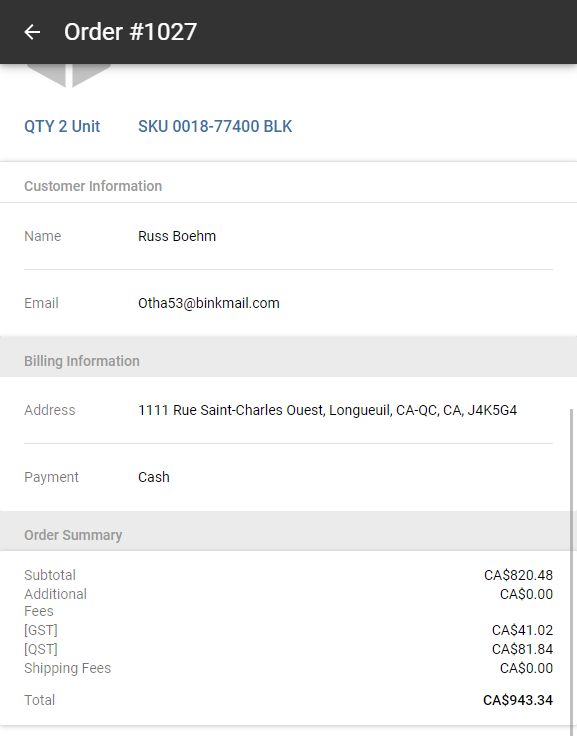
The order details view lists all the shipments contained within the order, as well as order-specific information, customer information, billing information and finally, an order summary with price and tax breakdown values.
In the Active tab, each order is represented by two sections. To view order details, tap the top section that includes the customer's name.
Shipment details are organized into five sections:
|
•
|
Order Information: Lists details like number, total price, and date and time the order was placed. |
|
•
|
Shipments: Lists the number of shipments included in the order presented as an x/y ratio, shipment status, store in charge of fulfillment, items they contain, including their name, price, image, quantity requested and SKU. |
|
•
|
Customer Information: Displays the customer name, email address and phone number. |
|
•
|
Billing Information: Lists the billing address and payment method. |
|
•
|
Order Summary: Shows the subtotal, additional fees, taxes, shipping fees, promo codes and total price. |
Enlarging an image
Mobile Store Fulfillment lets you enlarge images when viewing the details of an order.
|
1.
|
Tap on an image in an order to enlarge it. |
|
2.
|
Touch the screen with two fingers and move them apart (spread) to zoom in. |
|
3.
|
Touch the screen with two fingers and bring them closer together (pinch) to zoom out. |
|
4.
|
Tap on the image again to return to the order details screen. |