Media Management
PRODUCT MANAGEMENT > PRODUCTS
The Media management in Orckestra Commerce Cloud allows you to manage many media files for a base product and its variants using a blob storage. Publish and manage product content and media in the same publication workflow. The product images are also visible in the Product Management catalog view and Order Management application product picker.
Instead of using an external Digital Asset Management (DAM), you can manage all related product media such as images, videos, pdf and much more directly in the product tab.
Although external DAM are supported, using the media management simplifies the content management of your products and catalogs.
You can also use the media management to link images using URLs in the blob storage using a specific naming convention.
|
•
|
Manage base product media in the Media tab. |
|
•
|
Manage variant product media in the Variants tab. |
For more information about media management, see Adding Media to a base product and variants
Adding Media to a base product and variants
and Managing Media Configuration
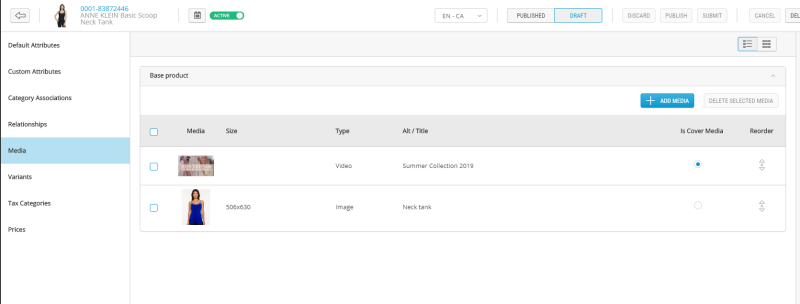
Figure 1 - Media tab - Base Product
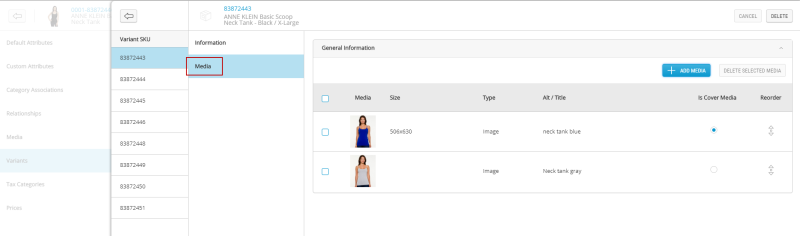
Figure 2 - Media tab - Variant
When media is uploaded directly in the blob storage, it will also be accessible in Product Management.
Accepted File Formats
By default, you can add media of type:
|
•
|
.jpg or jpeg - Image or photo file |
|
•
|
.gif - Animated image file |
|
•
|
.png - Image or photo file |
|
•
|
.svg - Vector graphic file |
|
•
|
.doc or docx - Microsoft Word file |
|
•
|
.pdf - Portable Document Format |
|
•
|
.xls or xslx - Microsoft Excel file |
|
•
|
.mp3 - Digital audio media file |
|
•
|
.ogg - Digital audio media file |
|
•
|
.mp4 - Digital video media file |
|
•
|
.avi - Digital multimedia file |
|
•
|
.mlv - Raw sensor data file |
|
•
|
.wav - Digital audio file |
This setting is configurable in the Media Configuration tab the Product Management Administration module. An administrator with the proper permissions can modify this list. For more information, see Managing Media Configuration
REFERENCES