Moving products
You can move products from one category to another in Orckestra Commerce Cloud. Moving products to restructure your catalog can be very useful to or move them from a category to another before deleting the initial category.
Note: When products are moved, they are no longer linked to the initial category.
Moving products from one category to another
| 1. | Access the category in which the products are currently located using the catalog's tree structure. |
| 2. | Select the products by checking the box in the product tile. If you are using the list view, check the box before each product. |
Note: you can move product from a category, by publication state or by using keywords.
| 3. | An action menu appear at the bottom of the screen, click Move. |
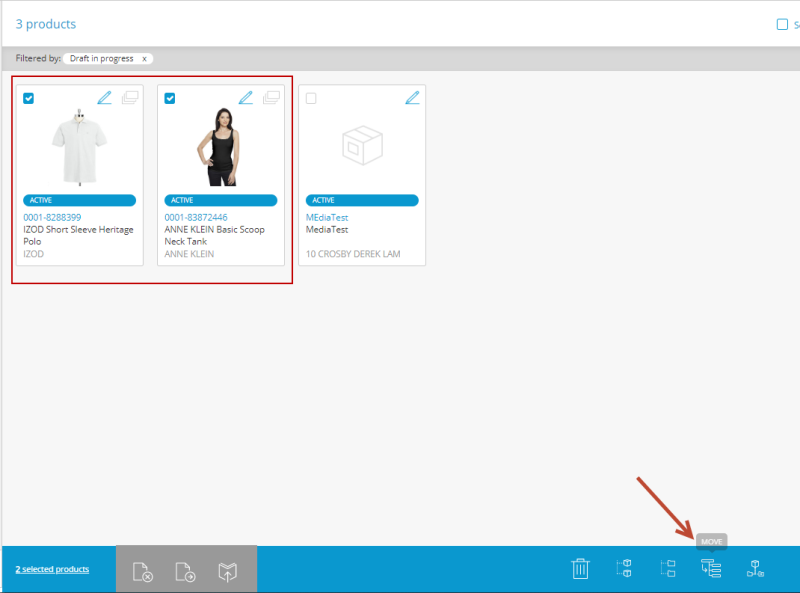
Figure 1 - Move action button
| 4. | The products are moved to the new category in a Draft state, |
Important: the products must be published to appear on the website under the new category.
REFERENCES
| • | Product selection methods |
| • | Product Publication Workflow |