Creating User Control Functions in the CMS Console
Note: For information about using Visual Studio to create or edit User Control functions, see Creating User Control Functions in Visual Studio
To create a User Control function:
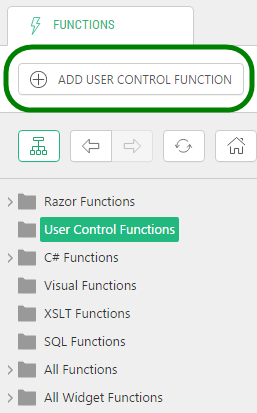
| 1. | In the Functions perspective, select User Control Functions. |
| 2. | Click Add User Control Function on the toolbar.
 |
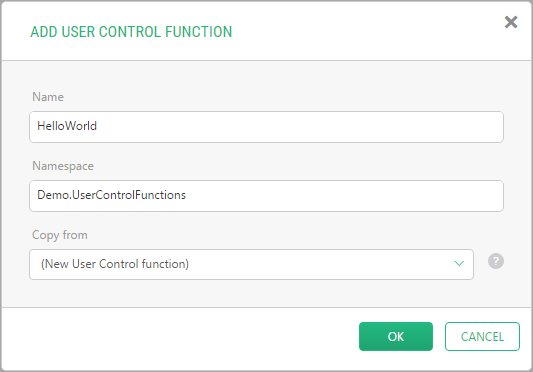
Adding the User Control function window, specify:
| a. | Name: The name of the function |
| b. | Namespace: The namespace the function will belong to |
| c. | Copy from: Keep the option "(New User Control function)" to create a new function, or select an existing User Control function to copy from. |
| 3. | Click OK. |
The function will appear under User Control Functions in the left pane, and open in Code Editor in the right pane.
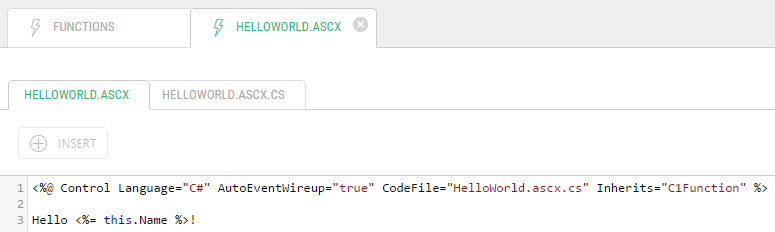
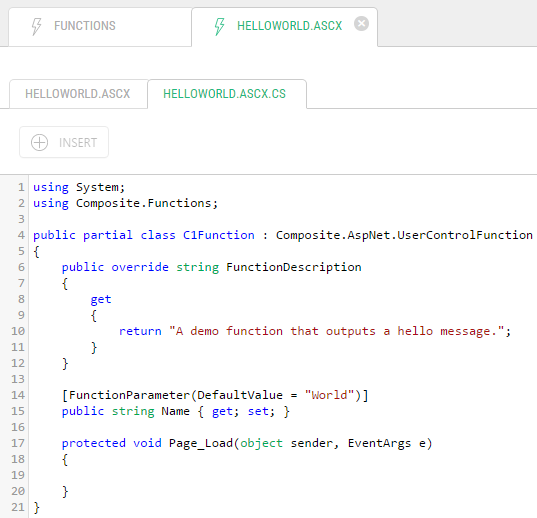
The new function already has some code that will help you get started.
.ascx
<%@ Control Language="C#" AutoEventWireup="true" CodeFile="HelloWorld.ascx.cs" Inherits="C1Function" %>
Hello <%= this.Name %>!
.ascx.cs
using System;
using Composite.Functions;
public partial class C1Function : Composite.AspNet.UserControlFunction
{
    public override string FunctionDescription
    {
        get
        {
            return "A demo function that outputs a hello message.";
        }
    }
    [FunctionParameter(DefaultValue = "World")]
    public string Name { get; set; }
    protected void Page_Load(object sender, EventArgs e)
    {
    }
}
Note To learn more about what a new User Control function includes by default, see "Default User Control Function".