Creating Datatypes
Experience Management combines page-based and item-based approaches as a content management system. As a page-based system it visually gives you a 1:1 relation between pages created in Experience Management and the pages on your website. As an item-based system, Experience Management makes a full use of structured data, the role of which is played by datatypes in Experience Management, also known as custom content types.
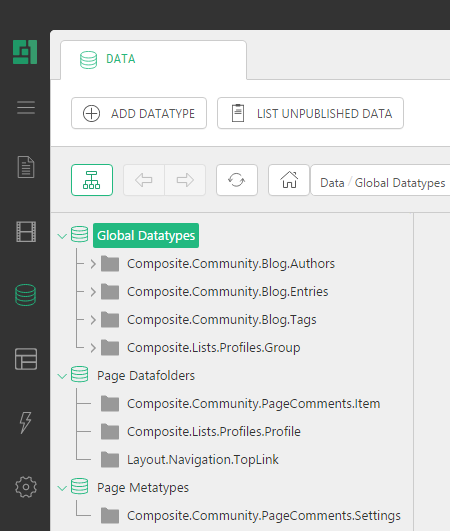
This guide focuses on creating datatypes that you can further use on web pages via input forms for entering data. You will also find an overview of datatype properties as well as datatype fields and widgets used with these fields.
Besides, it features step-by-step instructions on how to create fields that serve specific purposes in input forms. It also provides information about how to add input forms based on datatypes to web pages by using the Forms Renderer add-on.
Audience
This guide is intended for editors who want to learn to create datatypes and use them with input forms on web pages.
Make sure you are familiar with the Content module and structured data such as tables in databases before getting started with datatypes. You will also require a basic knowledge of functions in Experience Management and how to add them in a page.
As a datatype creator, you will work in the Data module Ensure you have the proper permissions to do so. To use datatypes, you will also require permissions in the Content module.
Getting Started
To get started with datatypes, you must use the following recipe:
|
Getting Started |
||
|
Step |
Activity |
Chapter or section |
|
1 |
Create global datatypes |
|
|
2 |
Add fields to datatypes |
|
|
3 |
Select widgets for datatype fields |
|
|
4 |
Create specific fields for input forms |
|
|
5 |
Use input forms with datatypes |
|
Terms and Abbreviations
The following is the list of terms and their definitions used in this guide.
Terms and Definitions | |
Term | Definition |
datatype | An entity used to store and reuse structured data in Experience Management |
Global datatype | A datatype that represents data reusable across all web pages on all web sites created in Experience Management |
Page datafolder | A datatype that represents data associated with one specific page. |
Page metatype | A datatype that represents flexible metadata structures assigned to a page or a section of the website. |
Widget | A widget is a control used for getting input values from users and storing them in corresponding datatype fields |